
OweMate
Every IOU,
remembered.
Who owes you, who you owe, in any currency. And when it’s time to ask, OweMate writes the message for you.
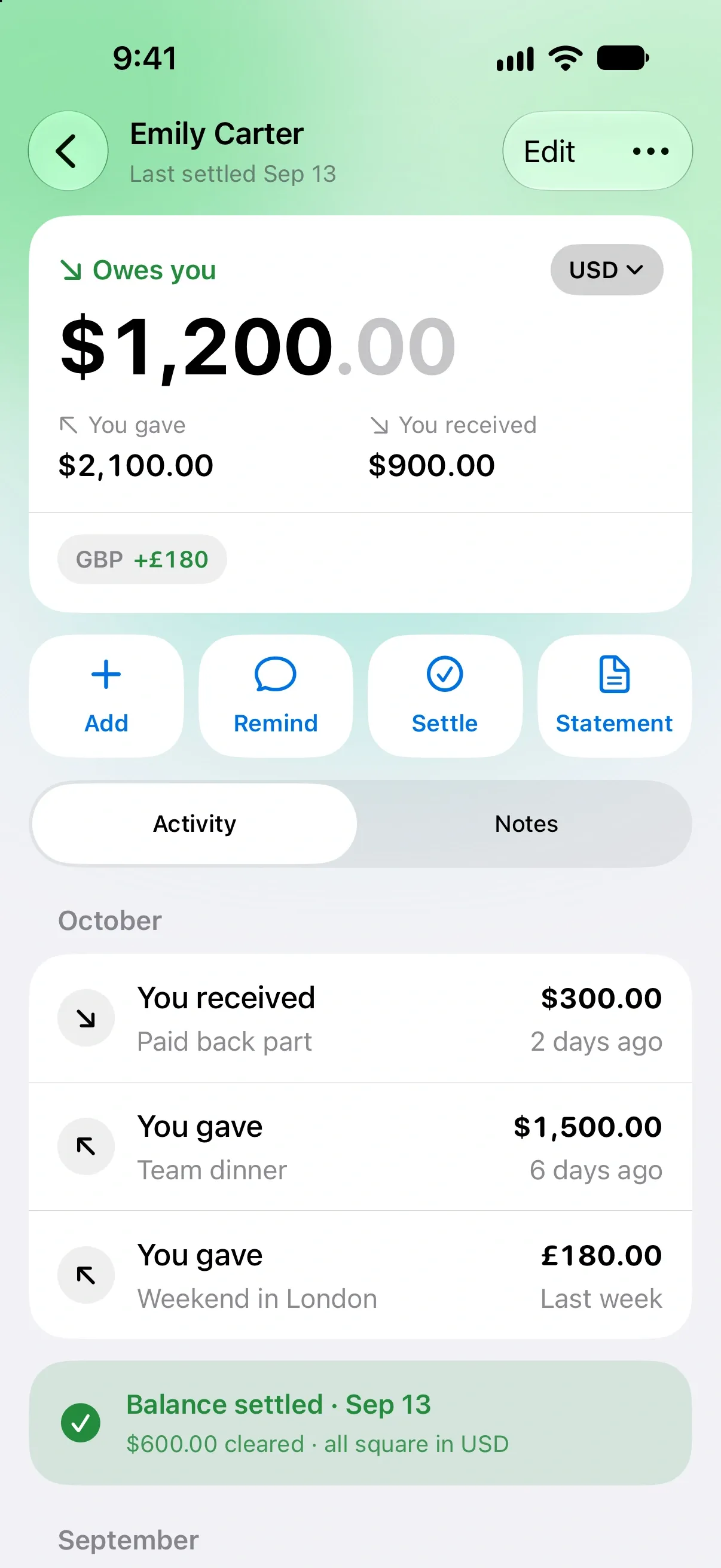
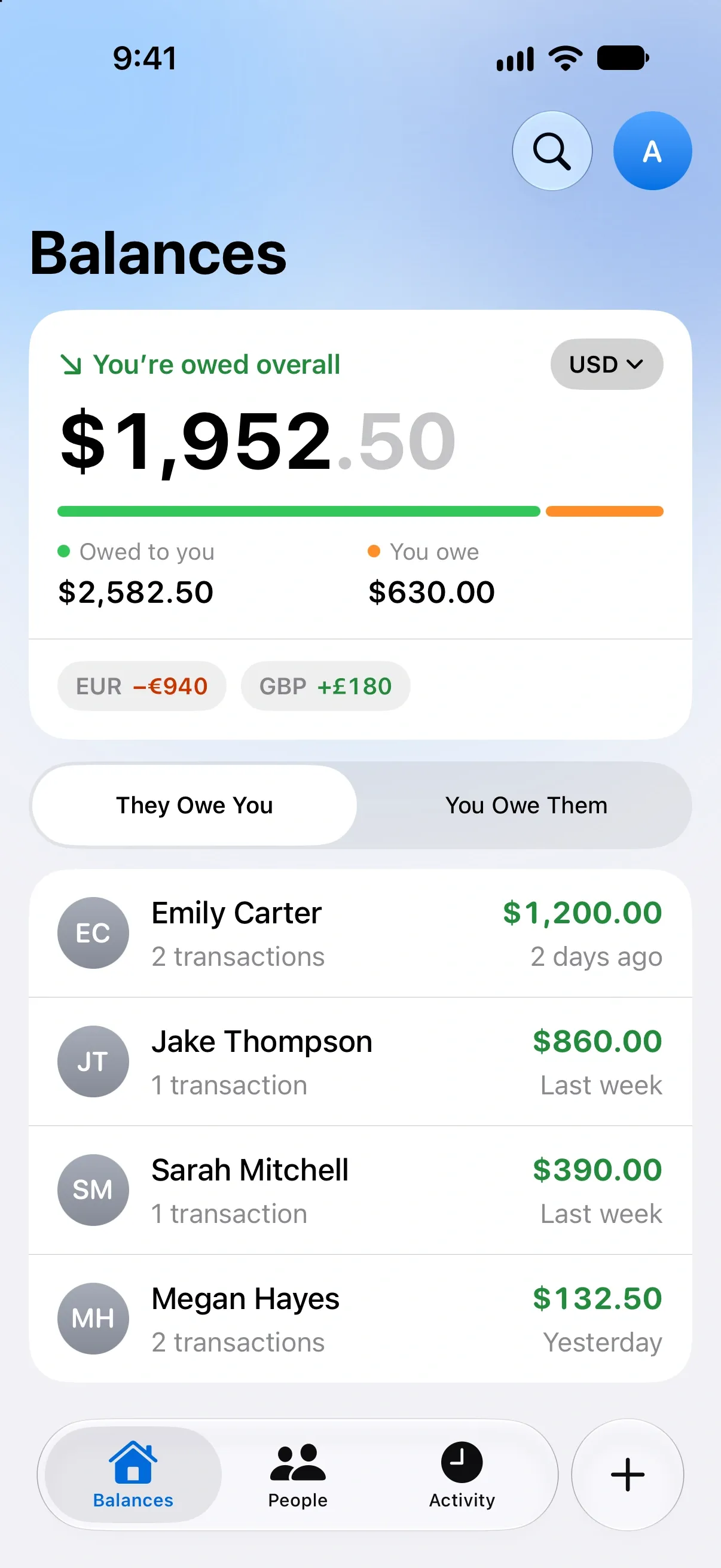
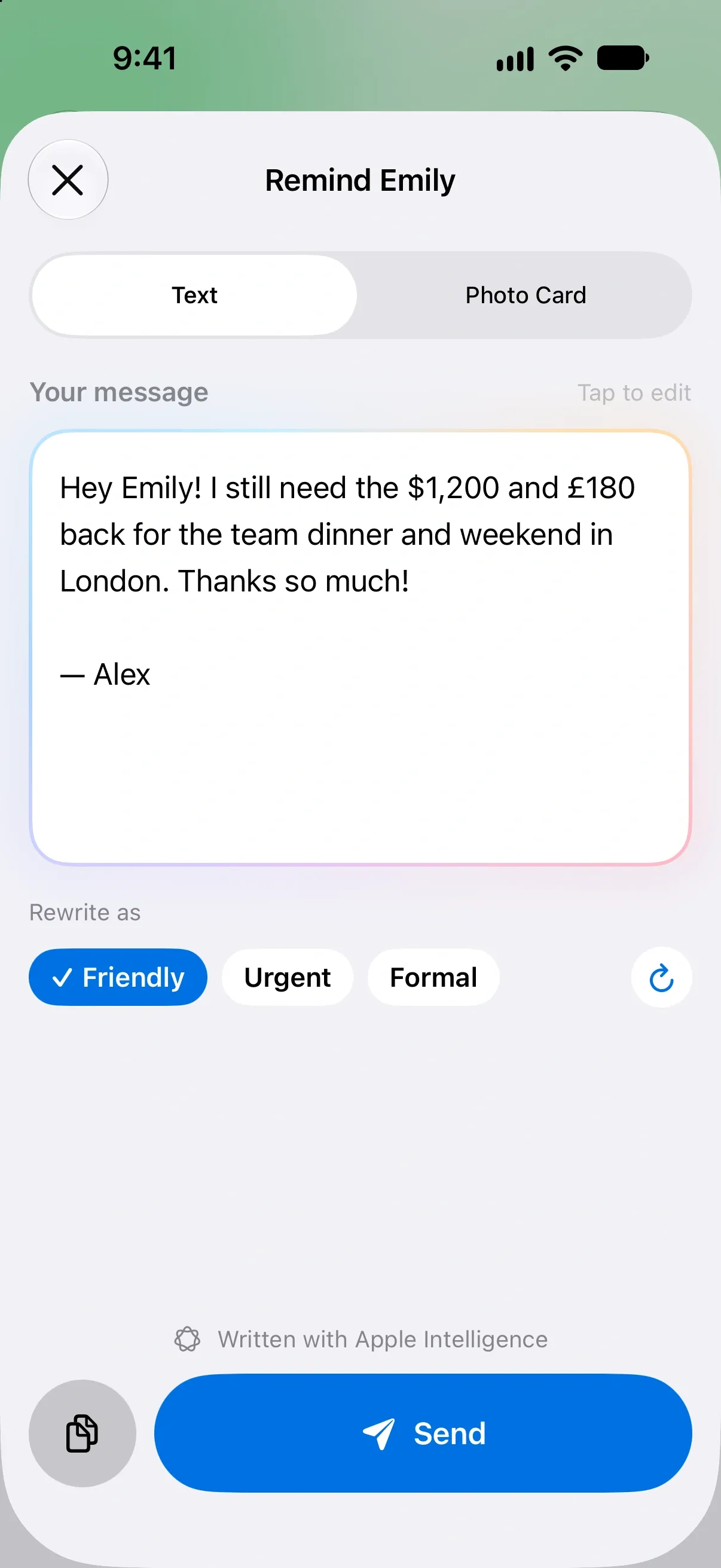
You covered Jake’s concert ticket. Emily still has the dinner and that weekend in London. You owe Ryan for the car. OweMate keeps it all straight, so you don’t have to.
Balances
One look.
Every balance.
Your overall balance sits at the top, split into what you’re owed and what you owe. Below it, everyone with an open balance, biggest first. Tap a name and the whole story is there.
- Per person
- One clear balance, updated as you go
- Two lists
- They Owe You and You Owe Them
- Partial payments
- Paid back bit by bit? Log each one
AI reminders
Let AI ask for you.
Asking for money back is awkward. Pick a tone, and OweMate writes a polite message with the real amounts and what they were for. Edit it if you like, then send it with any app.
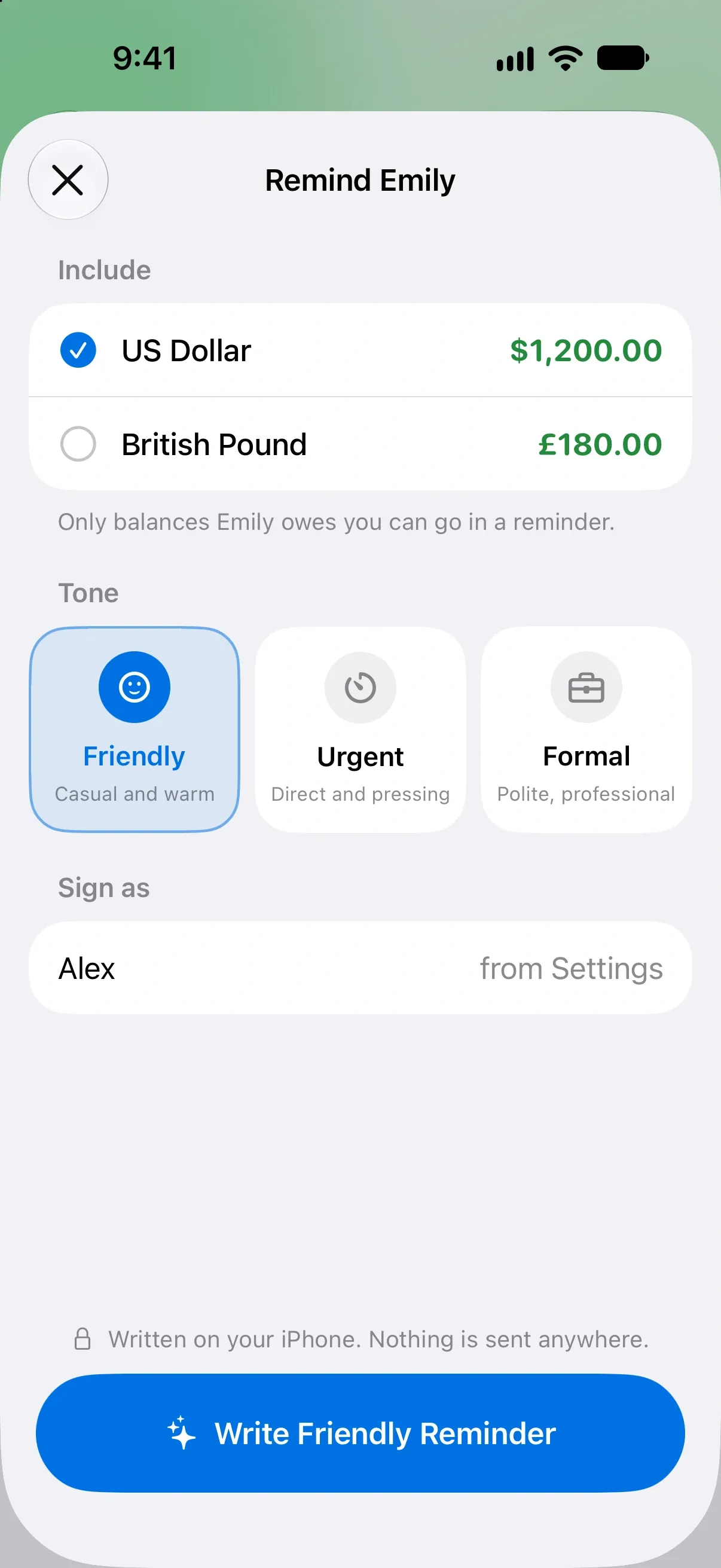
Written on your iPhone with Apple Intelligence. Nothing is sent anywhere.
- Uses the real amounts, in every currency.
- Says what the money was for.
- Never invents a deadline.
Photo cards
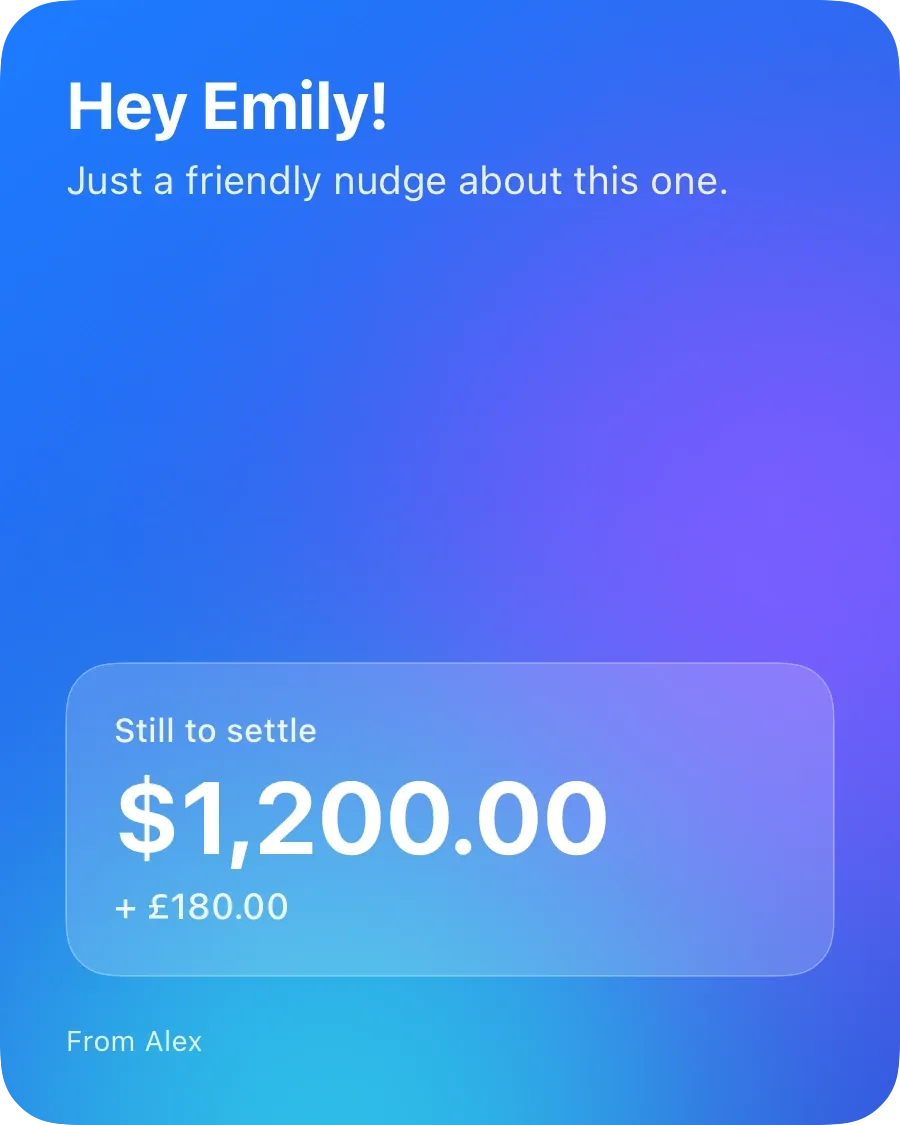
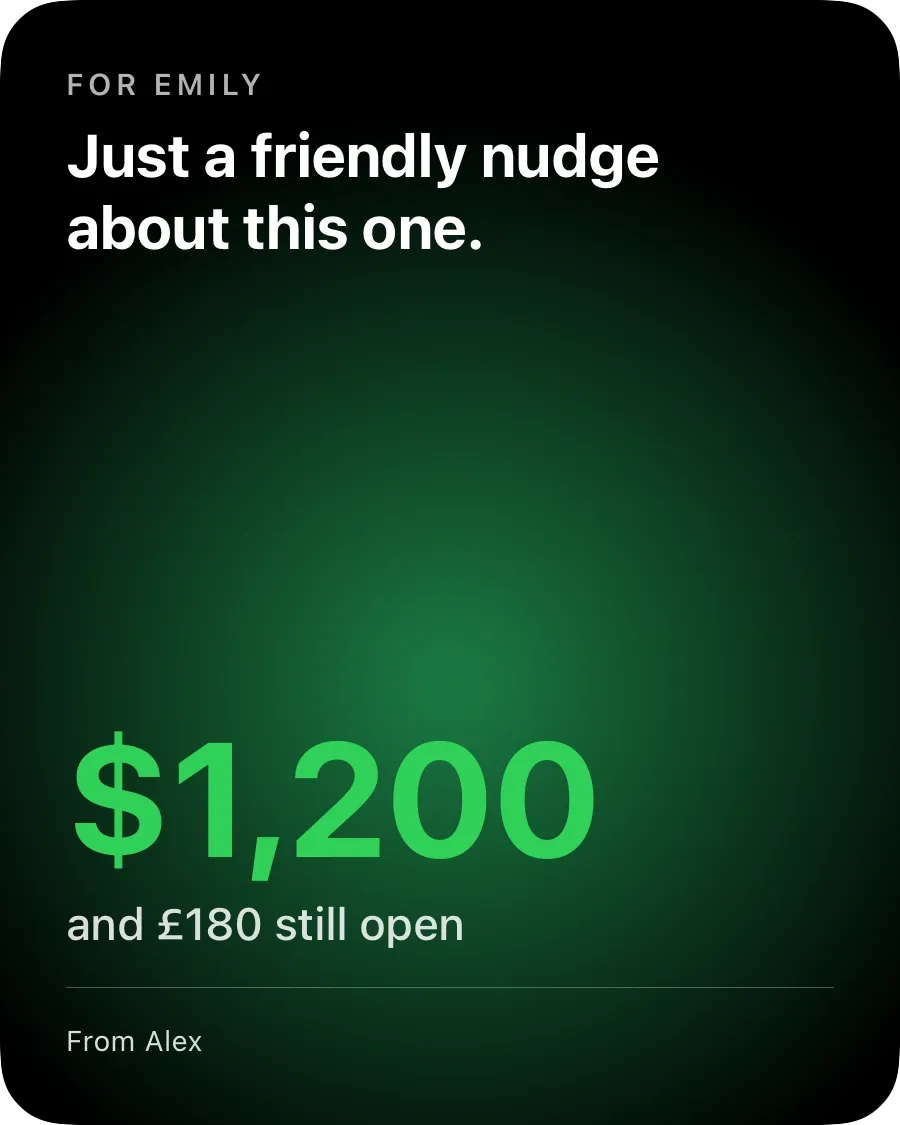
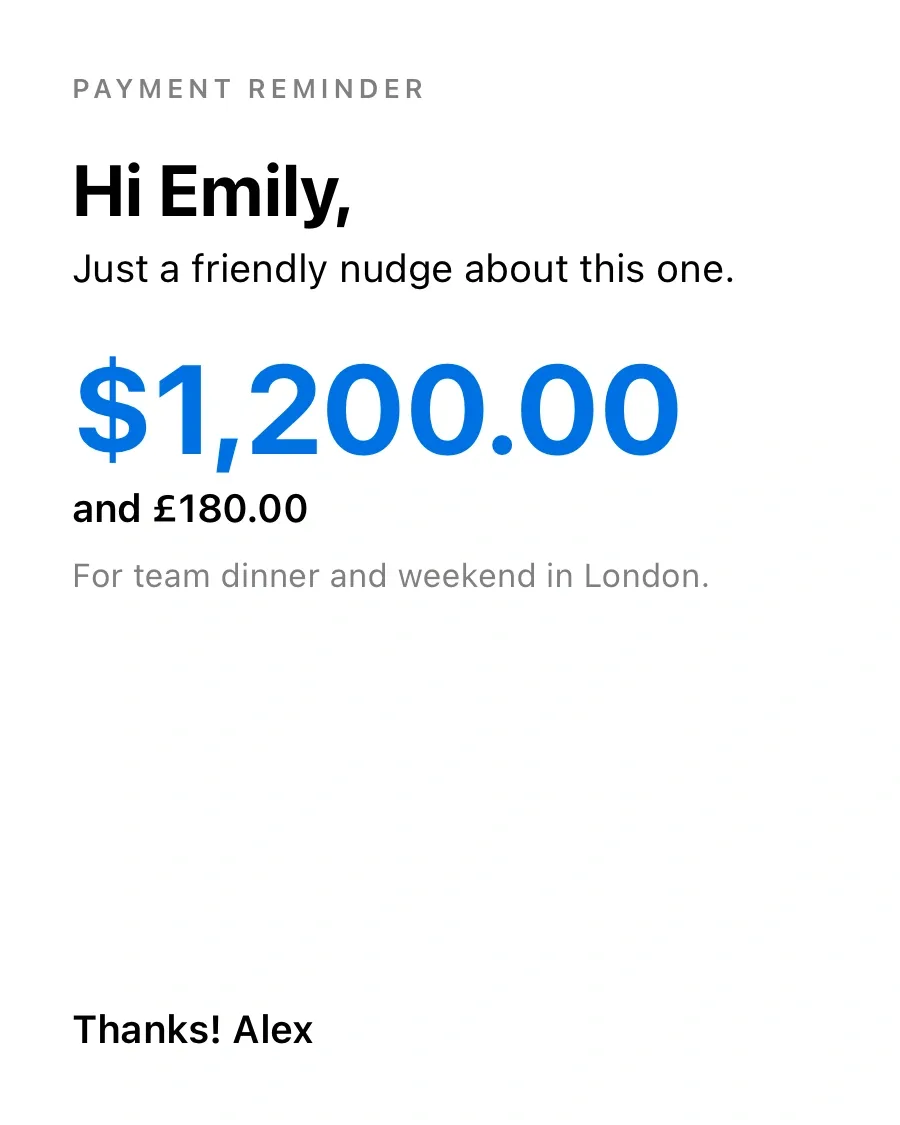
Remind them, beautifully.
Prefer a picture to a paragraph? Turn any balance into a card, signed with your name, and send it or save it to Photos.


Currencies
Every currency, kept apart.
Lent dollars, got paid back in euros? Each currency keeps its own balance, side by side. No exchange rates to argue about. The biggest balance leads, the rest are a tap away.
$1,952.50
History
Settled means settled.
When a balance hits zero, OweMate marks the moment. Older entries step back, so you only see what’s still open. Settle up in full or record a partial payment, and the math is done for you.
October
September
Pro PDF statements
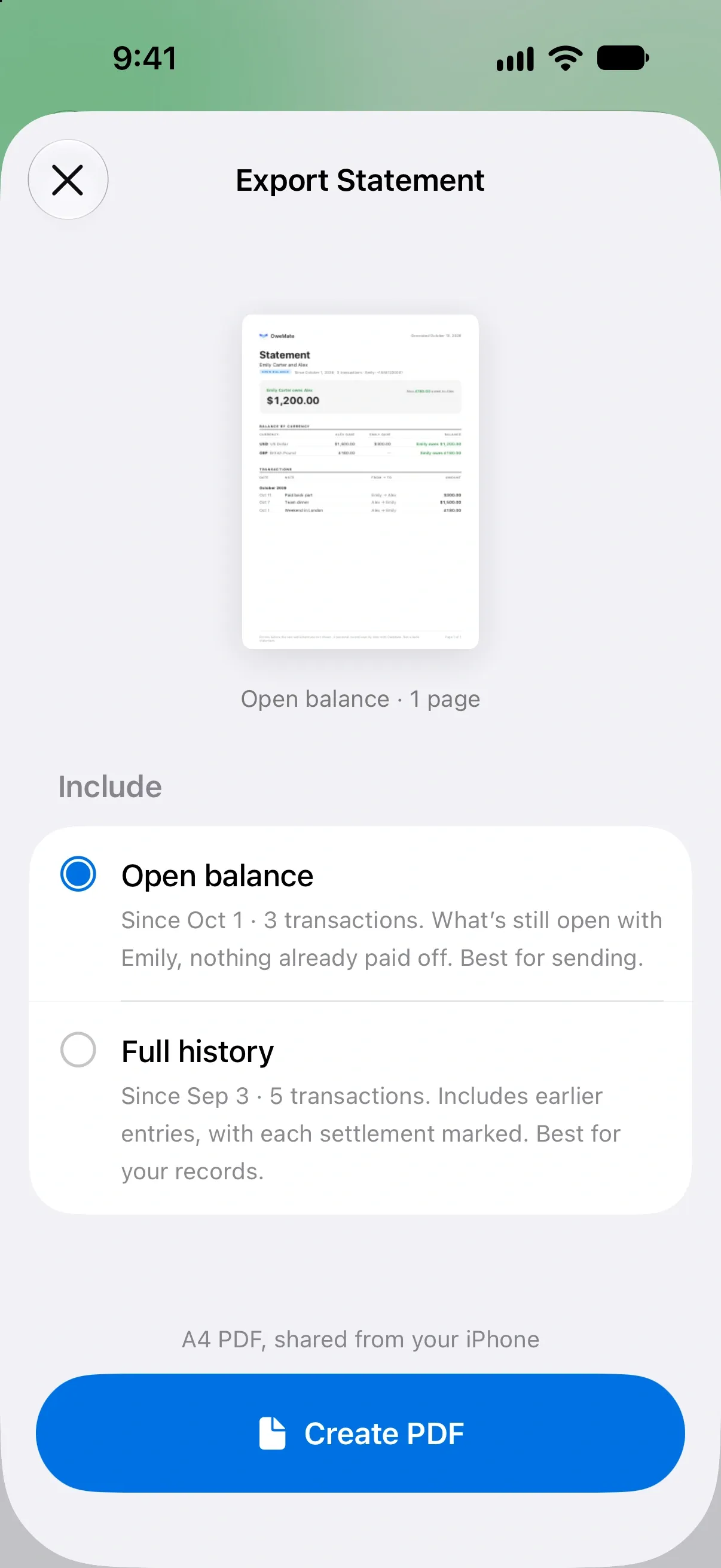
A clean record, when it matters.
Share a tidy PDF of what’s still open, or the full history with every settlement marked. Useful when a conversation about money needs something in writing.
iPhone and iPad
Room to see it all.
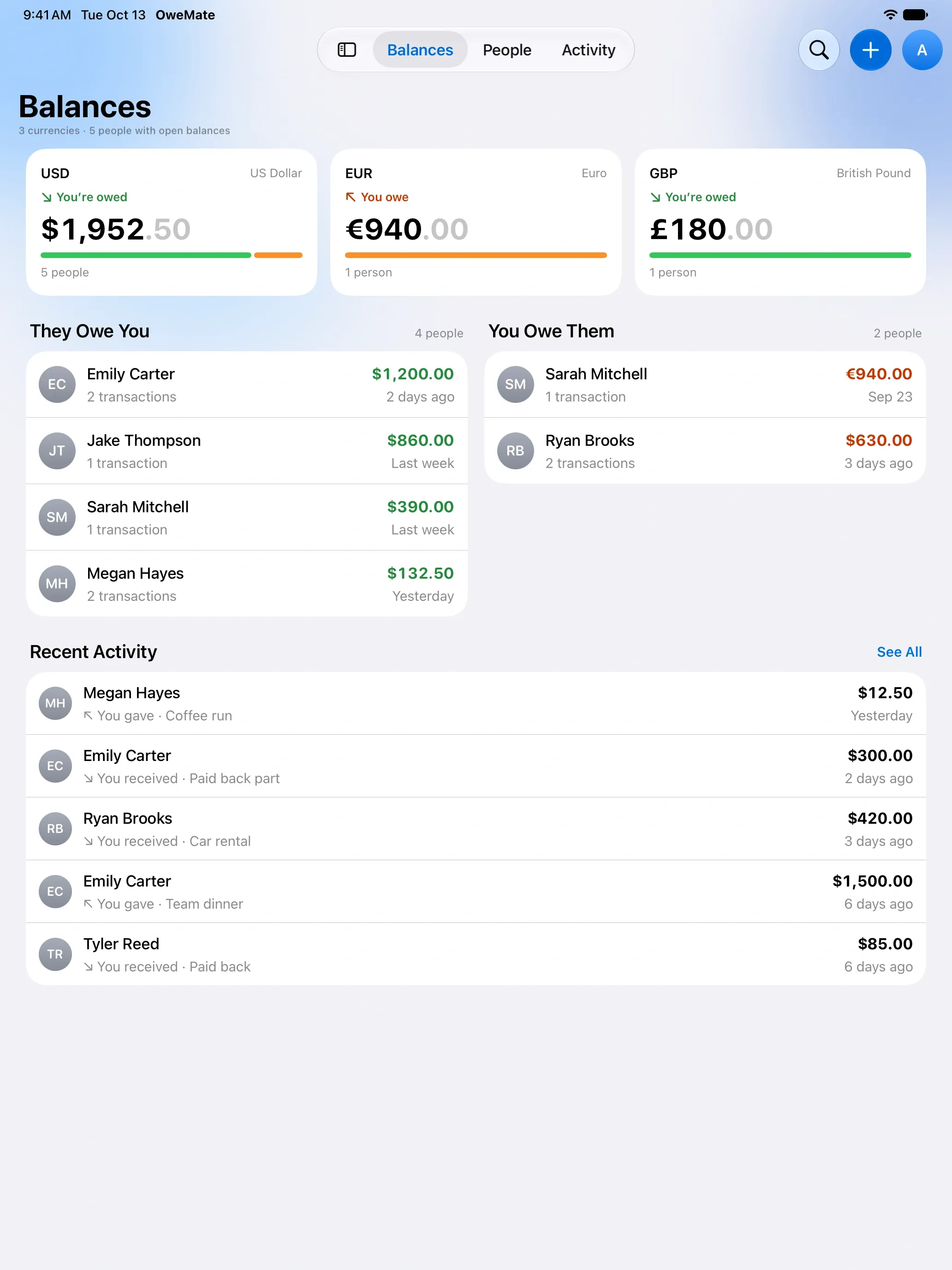
On iPad, every currency gets its own card, with both lists side by side. Your ledger follows you through iCloud.
Widgets
Your balance on the Home Screen and Lock Screen, without opening the app.
iCloud sync
Your iPhone and iPad stay in step through your own iCloud account.
Works offline
Log it at dinner with no signal. It syncs when you’re back online.
No account
No sign-up, no email, no password. Open it and add your first IOU.
Private notes
Notes for each person that never show up in reminders, cards or statements.
Search
Find any person or transaction in a couple of letters.
Your ledger stays yours.
On your devices
Names, amounts and notes live on your iPhone and iPad and in your own iCloud. We never receive them.
No account
No email, no phone number, no password. There’s nothing to sign up for.
Written on device
AI reminders are written on your iPhone. What you owe each other isn’t sent to an AI service.
Free to use. Pro, just once.
One purchase. No subscription, nothing to cancel.
Free
The whole ledger, no limits.
- Unlimited people, transactions and currencies
- Balances, settle up and full history
- AI reminders and photo cards, after a short wait
- Widgets and iCloud sync
- Supported by ads
OweMate Pro
One-time purchase, inside the app.
- No ads, anywhere
- PDF statements to share
- Instant reminders, no wait
- Yours for good, on all your devices
Questions
Is OweMate free?
Yes. Track as many people, transactions and currencies as you like, for free, with ads. OweMate Pro is a single purchase, not a subscription. It removes ads and adds PDF statements and instant reminders.
Do I need an account?
No. There’s nothing to sign up for. Open the app and add your first transaction.
Where is my data stored?
On your device and in your own iCloud account, which keeps your iPhone and iPad in sync. We don’t run a server that receives your ledger, and we can’t see it.
Will AI reminders work on my iPhone?
AI-written reminders need an iPhone with Apple Intelligence turned on, and they’re written on the device. Other iPhones get a ready-made message in the same Friendly, Urgent and Formal tones.
Can I track different currencies?
Yes. One person can have balances in several currencies at once. Each stays in its own currency and is never converted.
Is OweMate for splitting bills?
It’s made for personal IOUs: money you lend to or borrow from friends, family and roommates, often paid back bit by bit. It isn’t a group bill-splitting app.
